Major Project Development Log 2: Playable Prototypes and Feedback
Playable Prototype 1
Player Changes
One of our team members added a character model for the player. This meant that the character needed new animations so I used animations from Mixamo to replace the crouch, walking and idle animations. The crouch mechanic was also changed so that the camera was attached to the skeleton. Although this added some jitter to the camera it got rid of an issue with the old crouch mechanic which was that the camera was able to move to the standing position while the character was still crouched as it had no collision check.
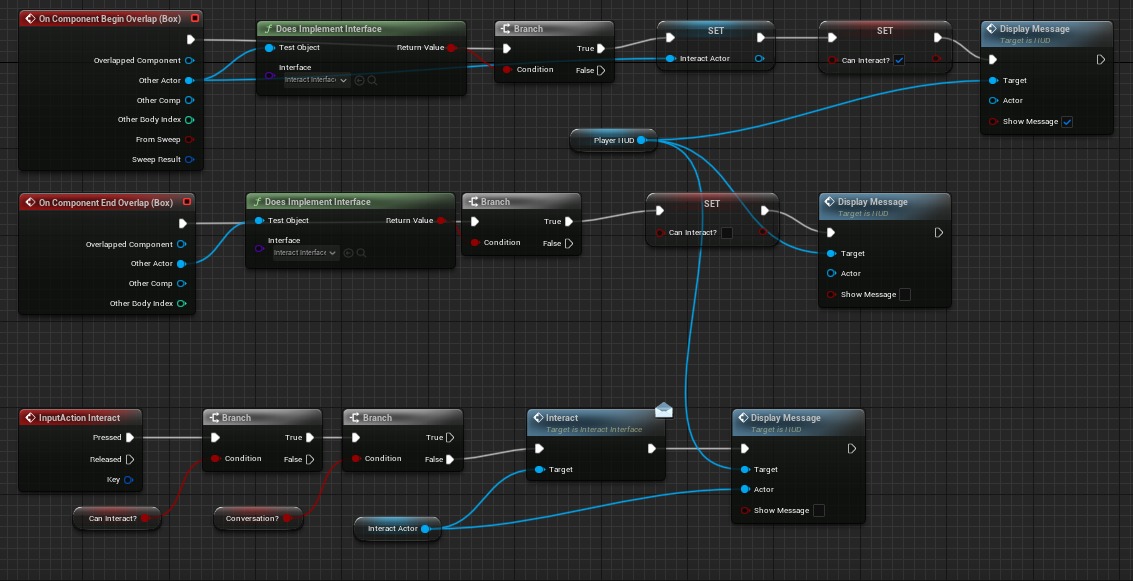
The way the character interacts with the different mechanics was adjusted as well. This was because the way it was set up had a boolean for each thing that could be interacted with which would make the player blueprint bloated with unnecessary blueprinting. To fix this I used the “Interact Interface” method from the NPC interaction and applied it to everything that could be interacted with removing the need for the different booleans telling the player blueprint what was being interacted with.
NPCs
I added four NPCs that each have their own dialogue tree that reacts to each stage of the investigation into who killed the host. Once the player solves the case and informs them they will have an animation reaction that differs depending on whether they were involved in the murder. Innocent passengers celebrate and the culprits get angry. This is a temporary inclusion just to show that the case is solved.
Wardrobe
To hide one of the clues in the level I used a wardrobe that covers a hole into a secret room. The player can’t do anything with the wardrobe unless they talk to one of the NPCs. That NPC will say they heard noises and this will allow the player to move the wardrobe. The wardrobe is moved using a level sequence.
Playthrough
Playable Prototype 2
Feedback
Feedback on the playable prototype resulted in some changes to the existing mechanics and the addition of a new mechanic. The evidence board was a bit tedious as it required the player to walk back to the start room each time they wanted to use it. This was changed to being accessed by pressing Tab on a keyboard instead. The dialogue system had a bug which required the player to press the Left Mouse Button more than once to progress the dialogue so an alternative next button was added to the dialogue UI that would also progress the dialogue. A door mechanic was also requested to be added to the game.
Door Mechanic
The door system was set up to be very modular so that every door uses the same blueprint. This includes locked doors and normal doors. Locked doors require a key to be obtained first which is added to a string array called “Inventory”. After some feedback, the doors were also made to open from either side.
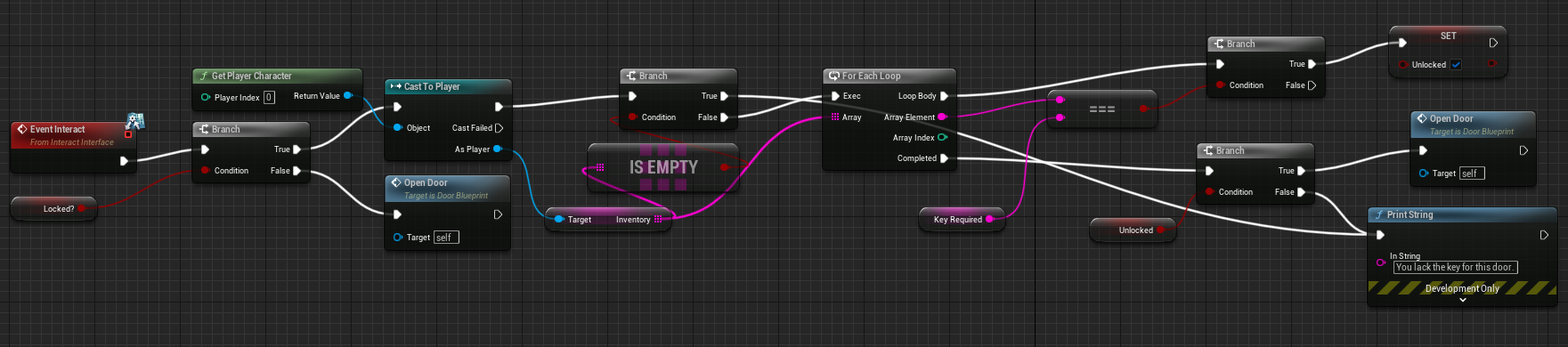
When the door is interacted with it checks whether it is locked or not. If it is not locked then the “Open Door” event will be called. If it is locked then the player’s inventory will be checked for the right key. If the player has the key the door will be unlocked and the “Open Door” event will be called. If not the player is told they lack the key.
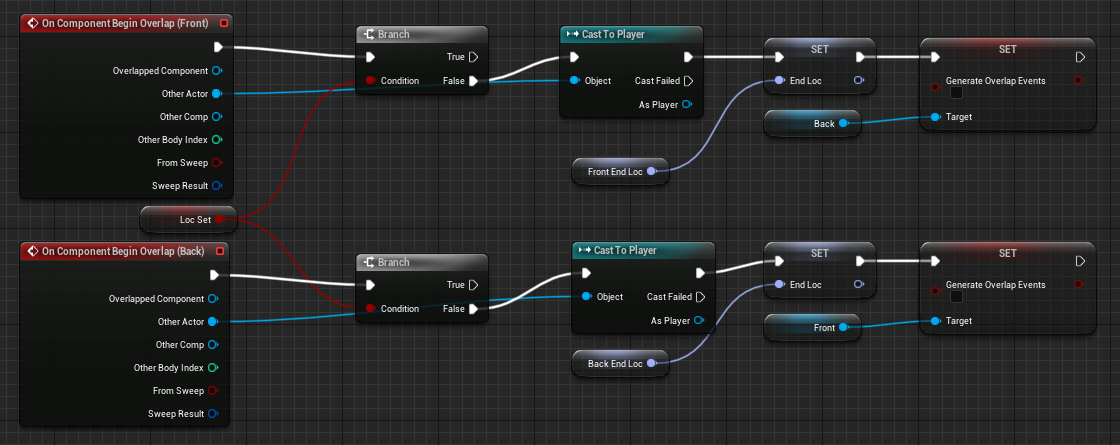
To determine which side of the door should open, there are two collision boxes (one for each side) that can be overlapped by the player. When one of them is overlapped, the other one has their ability to generate an overlap disabled and the end location of the door animation is set.
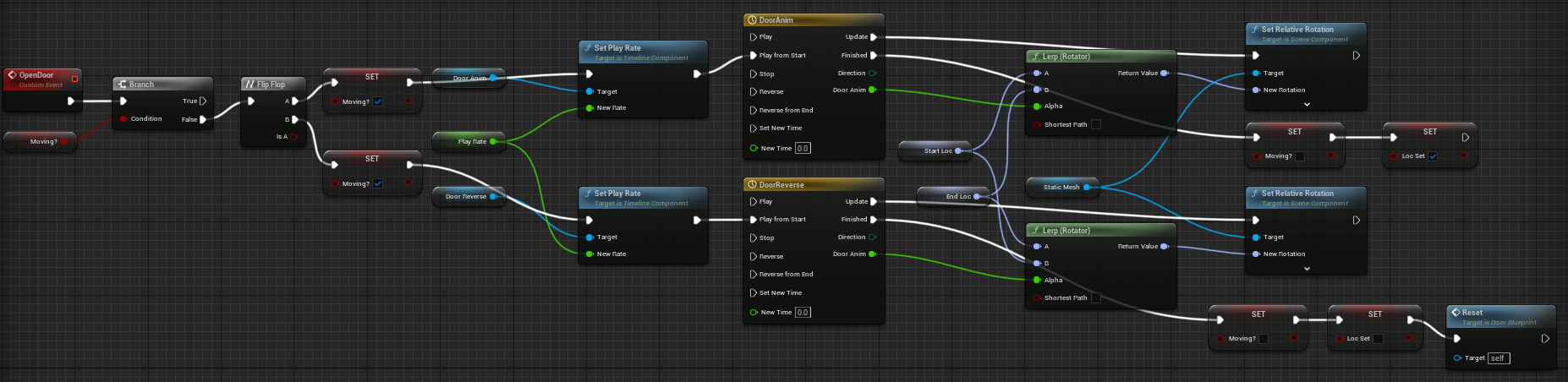
The door opens using timelines and rotator lerps which sets the relative rotation gradually as the timeline progresses. There is a timeline for the door opening and closing.
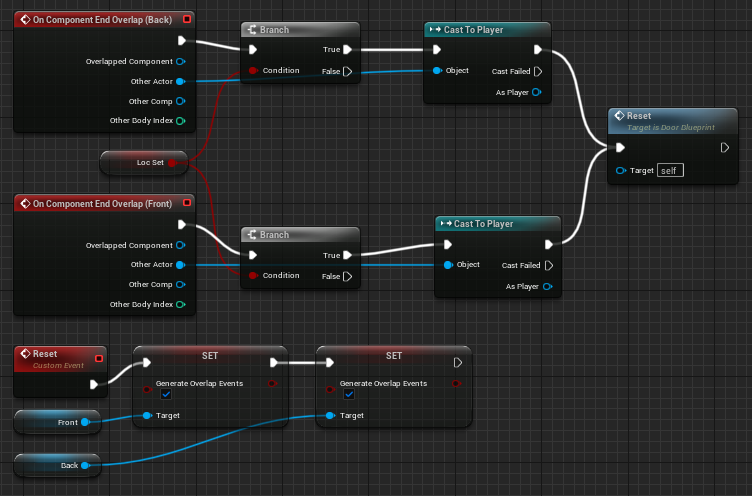
When the player stops overlapping with either of the collision boxes an event called “Reset” is called. This reset event allows both collision boxes to generate overlap events again if the player is now on a different side of the door.
Suitcase
I added a suitcase that contains one of the major clues in the storage area of the boat. It requires a key to be able to open it. When the player opens it, a level sequence plays that shows the suitcase opening and being rummaged through to find a syringe filled with poison. A clue is then added to the evidence board.
Playthrough
References
mixamo (N/A) Character Animations [Asset Resource]. Available online: https://www.mixamo.com/#/ [Accessed 10/2/2023].
Animations Used:
Breathing Idle
Crouched Walking
Crouch Idle With Axe
Male Cheering With Two Fists Pump
Male Crouch To Stand
Sitting and Impatiently Waiting
Standing Angrily
Standing Death Left 01
Walking Backwards
Walking (With a Swagger Closed Fist)